
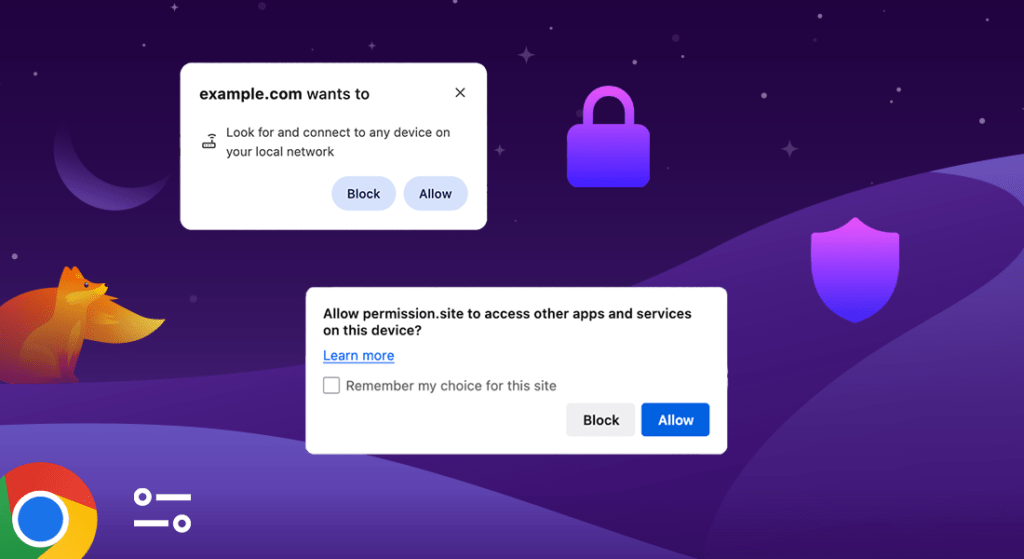
Have you seen these pop-ups recently?
This is a new feature that’s just finished rolling out to Chrome (and its siblings) and Firefox. It’s purpose is to guard against an additional scenario where websites could escape your browser’s sandbox and communicate with other apps running on your computer, without your permission. While it may seem like an irritating additional step, it’s actually an important one. Without it, the chances of websites accessing data they shouldn’t becomes much higher, and you wouldn’t have an easy way to restrict this kind of behavior. In this snippet, I’ll explain what the feature is, how it works, why it was implemented, and the previous safeguards that came before it.
What does “Access other apps and services on this device” mean?
When you see this message displayed from your browser, it indicates that the website you were on attempted to communicate with another running app on your computer via something called a loopback address, which is part of a broader term referred to as your local network. There are several ways for websites to perform this type of communication, and the most common way typically triggers a different pop-up that looks like this:
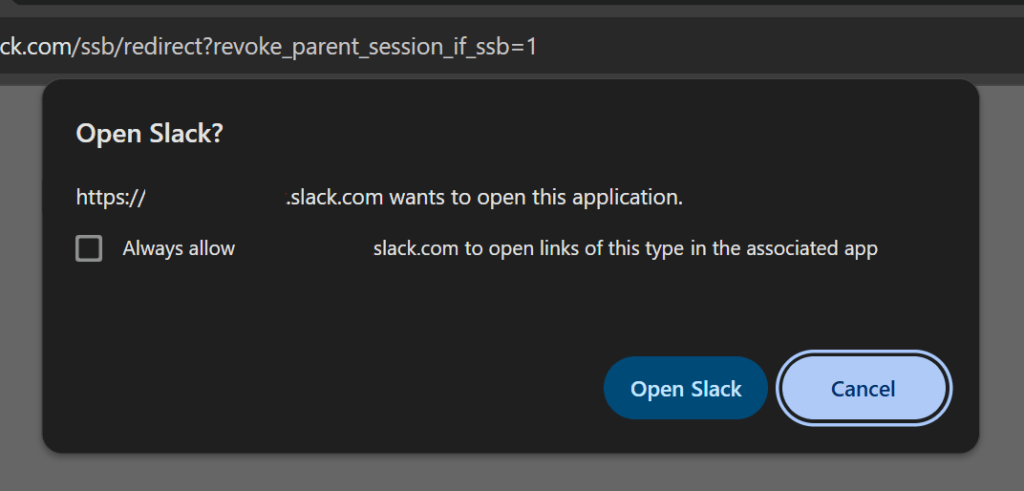
You’re likely more familiar with this one. It looks different because this website used a direct URL instead of a loopback address, which gives Chrome a more obvious signal of what’s about to happen. In either case, the action the website wanted to take would have required code execution that takes place outside of your browser, and as such, your browser can no longer guard against it for security purposes.
Is it safe?
It depends entirely on the trust you have in the website you’re visiting, and the action you were trying to perform.
- If you don’t know why it appeared (e.g, it just came from a news or blog site) you should click Block. It’s probably not doing anything useful to you, and if it turns out you need it later, you can always allow it next time.
- If you’re using a website that also has a companion app installed on your computer, or you’re trying to sign into an app, click Allow, but only if you trust both the website and app.
How was this new feature introduced?
Prior to Chrome v142, the browser didn’t differentiate between internal and external network traffic for guarding purposes at all. Everything was let through, unless it was on a malicious domain blacklist. With the introduction of v142, a new permission was added called “Local network access restrictions”. As the name suggests, it prevents any attempt from an external website to access resources local to your network.
What are local network resources?
Local network resources include anything the electronics in your home are sharing with each other, but aren’t reaching the rest of the internet. When you broadcast videos from your phone to your Smart TV, or send a document from your computer to a printer, this is possible because those devices can see each other and exchange data over your router. The document you print goes from your Computer → Router → Printer, but never actually reaches the internet, just like the phone example. This is called your local network, and its made up of all the devices connected to your router.
Why would I want to protect my local network?
When you’re browsing the web, there’s an implied assumption that the websites you’re on are isolated from the rest of your computer. Unless you download and run a file, or interact with a pop-up, anything that happens in your browser stays in your browser. Or so you thought. Before Chrome v142, websites could be silently interacting with other apps and processes on your computer, or communicating with electronics in your house, without you batting an eye! This poses a substantial risk to your security.
When you install a new program, you’re aware of exactly what it is, and probably trust it. When you visit a new website, you have no idea what it could do. It could flood you with pop-ups, or make hundreds of connections to different websites, reeling in more JavaScript code you could review in a week. The files and programs you have installed contain sensitive information that you would want separated from everything else you do on the web, right? This new permission model helps that stay a reality.
Why this new pop-up?
With the rollout of Chrome v145 several months after v142, this pop-up was split into two different categories. One of them is for when it detects local network access, and the other is for when it detects local device access.
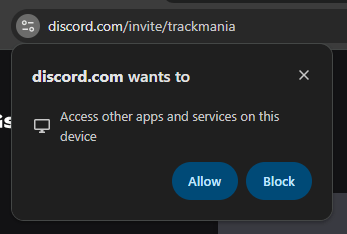
Unlike local network, local device refers to content that an app is sharing with the rest of your computer without even touching your router. It’s similar to local network, but instead of the scope being all devices in your house, the scope is that one computer it’s running on. This is called a loopback address. In this example, Discord is bypassing the traditional URL protocol that normally triggers a warning pop-up from Chrome. There’s no restriction as to what can be shared, there just has to be an app waiting in the background to receive it.
While most sites are trying to provide additional functionality, others may not have the best of intentions, so it’s an important change that keeps control and awareness in the hands of the user.
What about Firefox?
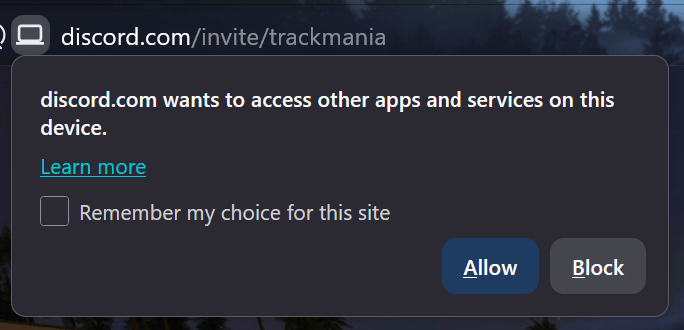
Chrome’s changes already encompass the many Chromium-based browsers that exist. Microsoft Edge, Brave, and Opera, for example, will all be inheriting this feature. Firefox, still thankfully independent of Google’s grasp (mostly), has also implemented this same safeguard with release v153. It looks nearly identical to Chrome’s, so no matter your browser, you’ll benefit from the same security improvements. 🎉
What about before all this?
These pop-ups don’t signify the start of websites doing something different — they’re just responses towards previously un-monitored behavior. In fact, there’s even a third way for data to escape your browser, but it requires the use of a browser extension. Whenever you install a new Chrome extension, a permission that’s often listed is “Communicate with cooperating native applications”. This allows extension developers to define specific apps that, if installed, the extension can communicate with. This is called native messaging.
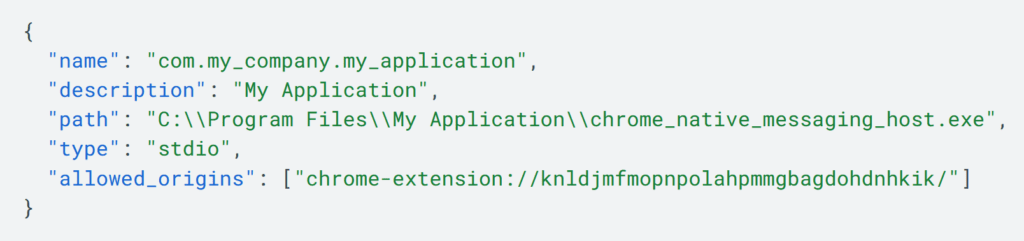
The same functionality is also present in Firefox, and is documented over at MDN. It isn’t going anywhere, but it’s just another entry point you might want to know about. The good news here, though, is that this requires you to intentionally install an extension yourself for anything to happen.
Communication Comparisons
|
URL Protocol |
Loopback Address (New Guard) |
Extension Native Messaging |
|---|---|---|
|
When a website uses a direct URL to interface with a specific program on your computer. |
When a running app on your computer is listening over a local web address (127.0.0.1:xxxx) and waiting to receive information from anything that broadcasts over it. |
When a website communicates with a browser extension, and that extension forwards the request to a pre-defined app. |
|
Requires a program to be installed and have registered a new protocol handler in your operating system. |
Requires a program to be running, but doesn’t need it to have modified or registered anything in your operating system. |
Requires a program to exist on your computer and a browser extension to be installed. The program doesn’t need to be running or have registered anything in your operating system. |
|
Does not require the app to be running first. |
Requires the app to be running first. |
Does not require the app to be running first. |
URL Protocol
- When a website uses a direct URL to interface with a specific program on your computer.
- Requires a program to be installed and have registered a new protocol handler in your operating system.
- Does not require the app to be running first.
Loopback Address (New Guard)
- When a running app on your computer is listening over a local web address (127.0.0.1:xxxx) and waiting to receive information from anything that broadcasts over it.
- Requires a program to be running, but doesn’t need it to have modified or registered anything in your operating system.
- Requires the app to be running first.
Extension Native Messaging
- When a website communicates with a browser extension, and that extension forwards the request to a pre-defined app.
- Requires a program to exist on your computer and a browser extension to be installed. The program doesn’t need to be running or have registered anything in your operating system.
- Does not require the app to be running first.
Conclusion
When it comes to keeping your computer secure, it’s integral that any code running inside your browser is gatekept from the rest of your system. The internet is stuffed to the brim with malicious content, and most people don’t take the necessary precautions to keep themselves safe. Fortunately, it appears this loophole was abused long enough for the developers at Google and Mozilla to finally take notice and put up a fence, closing gaps like these one at a time. If you were curious about what this was, or why you were seeing it where you weren’t before, hopefully you’re now well-informed.
Support independent, ad-free publishing